Testing the DRL Agent
After training, a DRL agent can be evaluated to assess its performance and generalization capabilities across new or unseen scenarios. Testing can be conducted on:
A test set automatically split from the original training scenarios based on a complexity metric at scenario generation time.
A custom set of new scenarios defined by the user.
The testing process supports multiple evaluation options, offering insights into agent behavior, action distributions, and performance metrics. Use the following command to launch a test:
Testing Command
cd cyberbattle/agent

python3 test_agent.py \
    --option {random_agent_performances, actions_distribution, agent_performances, save_trajectories} \
    --logs_folder LOGS_FOLDER_NAME \
    --run_set {RUN_ID, -1 (ALL)} \
    --algorithm ALGORITHM \
    --environment_type {continuous, global, local} \
    [--load_default_test_envs] \
    [--load_custom_test_envs TEST_ENVS_FOLDER] \
    [--val_checkpoints] \
    [--last_checkpoint] \
    [--load_seeds SEEDS_FILE] \
    [--random_seeds]
The --option flag specifies the type of evaluation to perform:
random_agent_performances: Test a random agent (selects uniformly from valid continuous actions) to use as a baseline.actions_distribution: Analyze the distribution of actions (e.g., vulnerability IDs, types, outcomes) taken by the agent.agent_performances: Evaluate the agent’s task performance, including the number of owned/discovered/disrupted nodes.save_trajectories: Save agent action trajectories to CSV files for manual inspection.
Key parameters for the test command:
--logs_folder: Path to the training log folder containing the agent to test.--run_set: Specify a single run ID or use-1to test all available runs and aggregate results.--load_default_test_envs: Load predefined default test environments.--load_custom_test_envs: Load custom test environments from the specified folder.--val_checkpoints: Use the best validation checkpoint (instead of the final training model).--last_checkpoint: Use the last available checkpoint during training or validation (depending on--val_checkpoints). If not specified, all checkpoints are assessed.--load_seeds/--random_seeds: Load a predefined list of seeds or generate random ones for reproducibility.
Additional settings (e.g., number of episodes, steps per episode, logging level) are configurable via cyberbattle/agent/config/test_config.yaml.
Testing Output
A folder containing the statistics generated during the testing process will be created under the logs folder of the training process. The structure is organized to clearly separate and store metrics from different experiments — including variations by run ID, checkpoint type (training or validation), and test set used — in dedicated subfolders. Each run’s subfolder will include metrics and output files based on the selected evaluation option.
LOGS_FOLDER
├── .....
├── test
│   └── default
│     └── {train, validation}
│       └── RUN_ID
│         └── ......
Agent Visualization
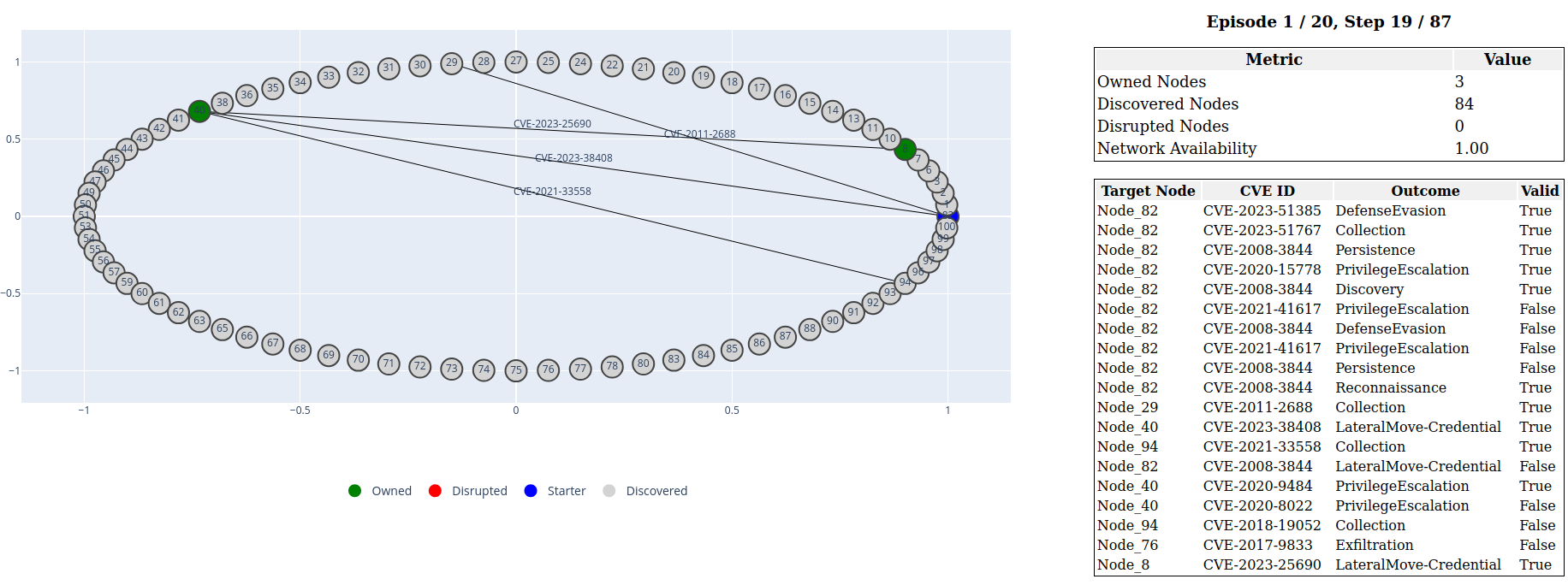
Equivalent options used for the script test_agent.py can be used for the script visualize_agent.py to visualize agent testing behavior in a graphical interface.
A dash application is launched, allowing interactive exploration of the agent’s actions and decisions within the environment.